Dog Walking App
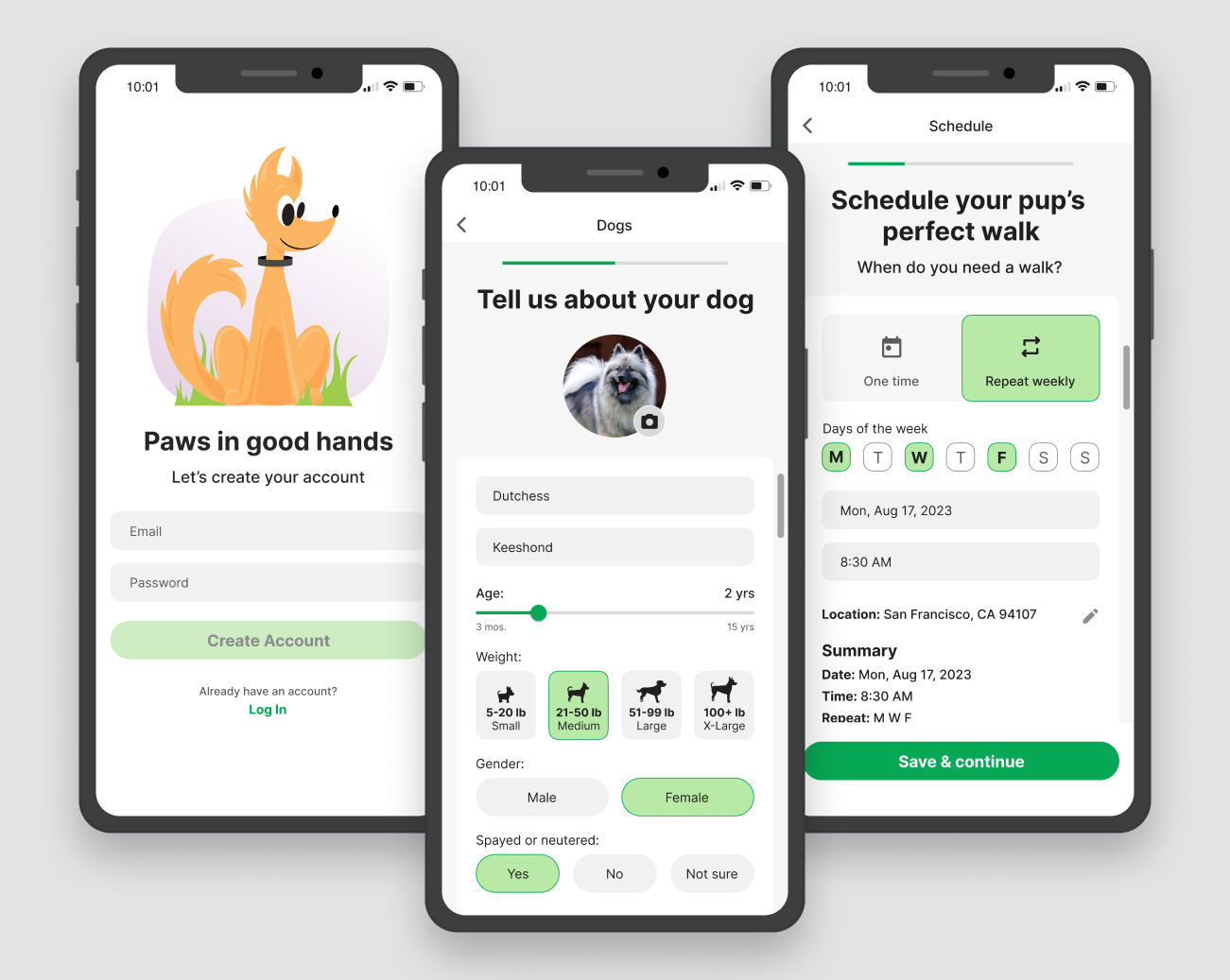
A streamlined dog-walking app designed for fast, stress-free scheduling, supported by custom illustrations adding personality and visual consistency to the experience.
Project Overview
The goal of this project was to design a simple, intuitive dog-walking app that addresses the core needs of dog owners and streamlines the process of scheduling a trusted caregiver. The final output is an MVP—intentionally focused, uncluttered, and ready for future iteration.
Challenge
- Prioritize dog owner’s immediate goals
- Reduce cognitive load with a visual, step-by-step flow
- Build trust with clear visuals and approachable UI
- Enable booking a caregiver in just a few simple steps
Design Process
Marketplace Research
Researching existing pet sitting and dog walking apps for inspiration, insights, and to better understand user pain points through marketplace app reviews.
User Personas
Building on marketplace research, I synthesized this information to create distinct user personas based on user values and priorities to guide design decisions.
Color Strategy
From the start, I wanted the app to feel bright, friendly, and pet-focused. I chose a vibrant green as the primary color to communicate:
- Energy and playfulness (aligned with pet personality)
- Nature and health, reinforcing the outdoor, activity-based context
- Positivity and trust, helping new users feel at ease
The illustrations use the same green to maintain consistency and strengthen brand recognition.
To keep attention on actions and key decisions, the background uses a very light gray, layered with clean white cards. This ensures the green CTA buttons remain the visual anchor across the interface.
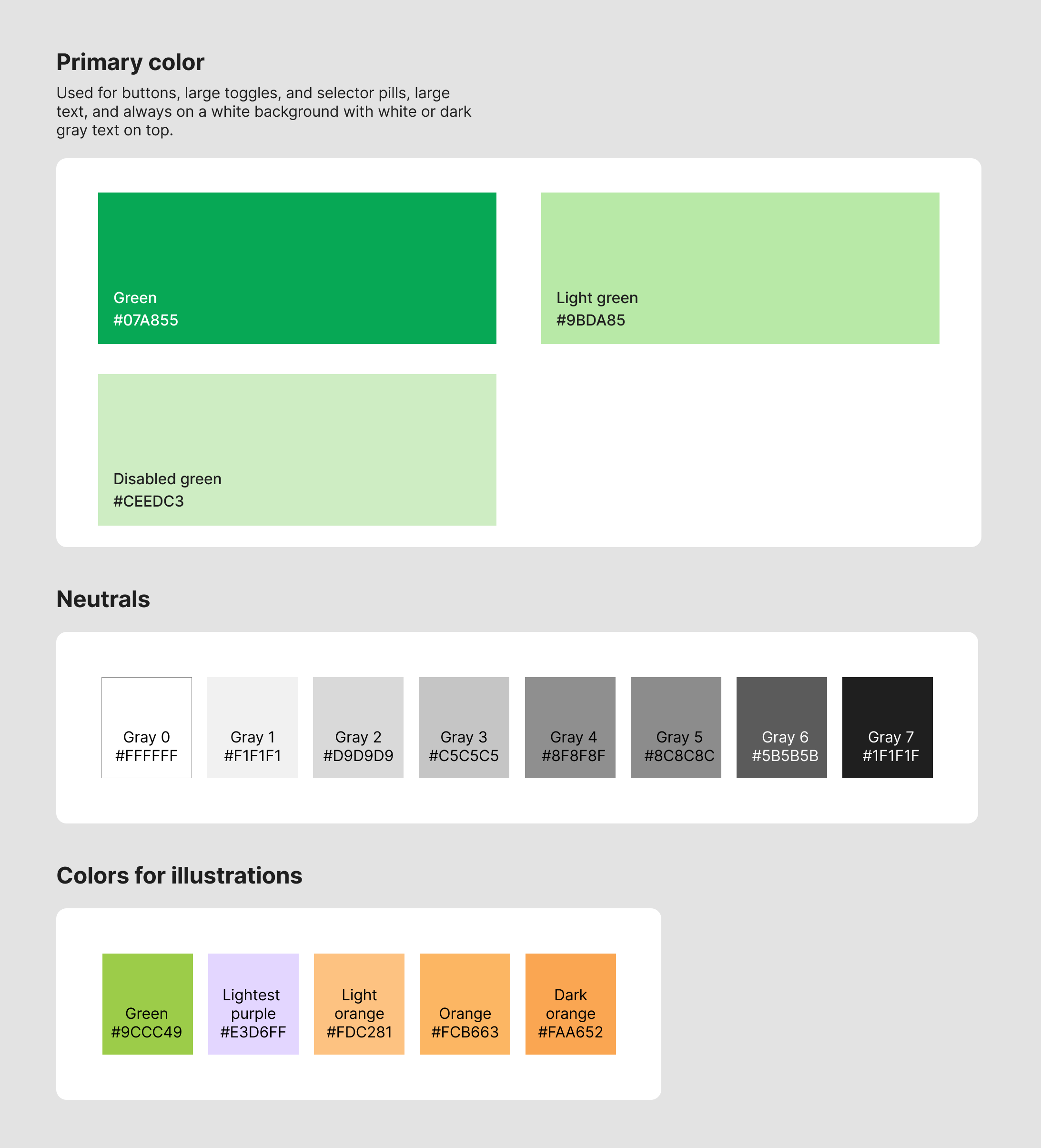
Dog walking app color strategy
Wireframes
Exploring design direction and flows with wireframes before designing hi-fidelity mockups.
Design Solution
The final designs reflect a clear, approachable, and minimal interface where users can:
- View available caregivers
- Select time and date
- Confirm a session with only essential information
- Stay oriented through a simple, linear booking flow
Scheduling Flow
A simple, linear flow that allows the user to schedule a session with only essential information.


Screens for Weekly Repeat Scheduling and Dog Information
The weekly repeating scheduling flow allows the user to select the days of the week they want to schedule the session for, and the time of the session. Users can also add multiple dogs to their account, and select the dog or dogs they want to schedule the session for.


Final Thoughts
This project focused on creating a streamlined MVP for a dog-walking app centered on clarity, trust, and ease. Future iterations could expand functionality with:
- Google or Facebook login
- Location-based search
- Profile reviews and social features
- Real-time tracking of the dog's location and progress during the session
- Link to a focused caregiver marketplace